
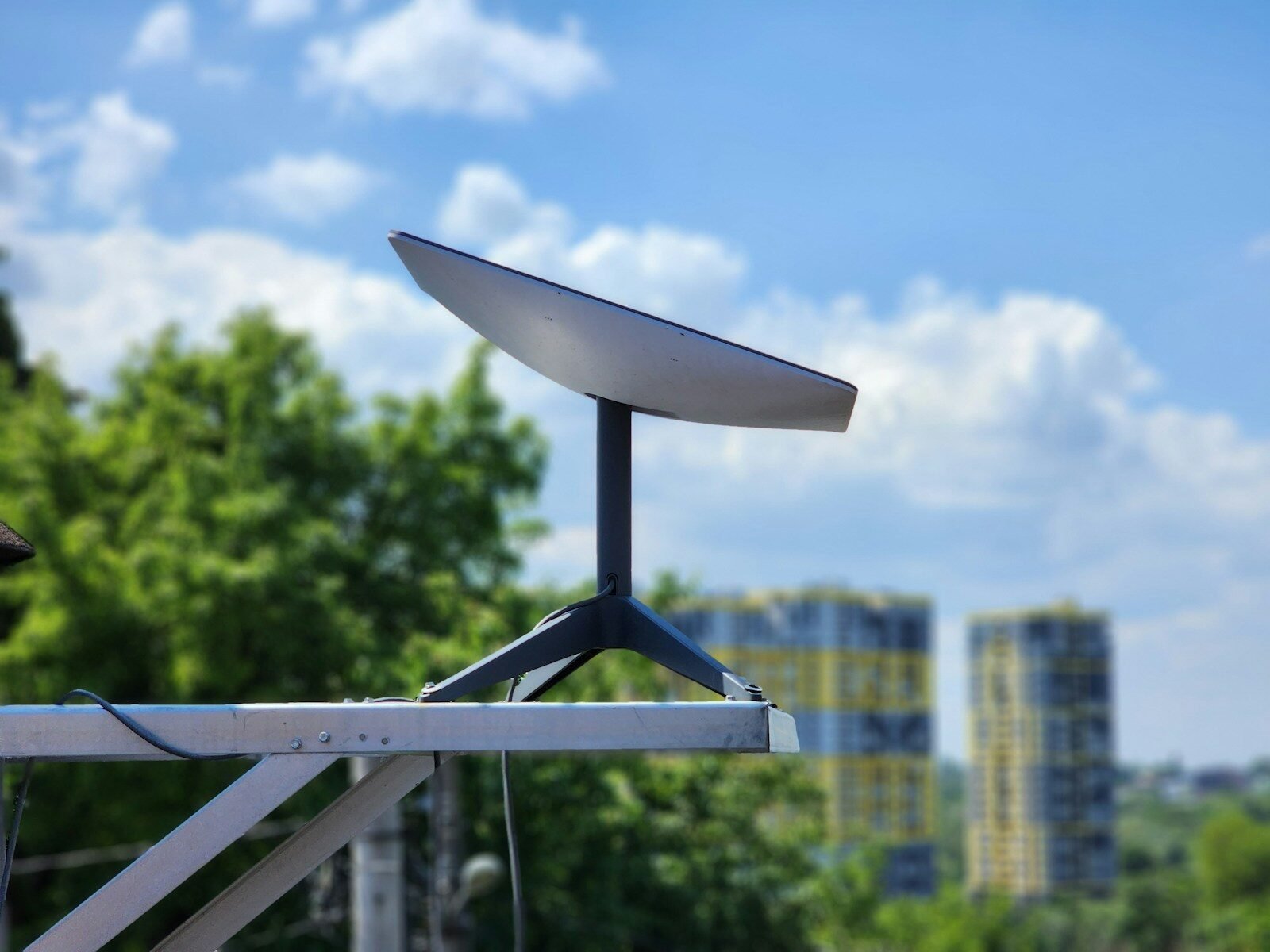
Imagine being able to park your van by a lake and join a video call on a whim without chasing cell reception. That is the promise of Starlink Mini. Satellite internet tailored towards those who seek to occupy the edges of society and beyond the reach of mobile broadband. It is a compact solution that does not involve the same large dish as residential installs, but does it make sense for van life in 2026?
Starlink Mini can be an excellent addition to a home-leave setup for remote workers, frequent travelers, and off-grid campers who value internet connectivity. The decision ultimately comes down to the power setup, travel habits, subscription expenses, and whether a van or tent can provide the dish with an unobstructed view of the sky
Read on to learn more about the considerations when buying one for a van.
What Makes Starlink Mini Useful for Van Life?
Starlink Mini is a compact satellite internet terminal with a built-in Wi-Fi router for convenient access points. It is ideally suited towards a van lifestyle due to several key features:
- Smaller and lighter than a residential install
- Does not require an additional indoor router
- Can be powered from a standard DC battery or power station
- Provides satellite internet in the absence of cellular coverage
- Can be mounted at a worksite or packed away when traveling
The last two factors have the largest impact on day-to-day use. A beautiful but shady campsite can be far less useful compared to a bare patch of dirt with a view of the sky.
The physical dimensions of the Mini are far more manageable than a residential setup, too. Per Starlink’s specifications sheet, the dish measures approximately 11.75 x 10.2 x 1.45 inches and weighs roughly 2.43 pounds (without the kickstand). This is light and portable enough to be stored inside your van when not in use.
How Much Power Does Starlink Mini Consume?
Power consumption is one of the deciding factors between Starlink Mini and a traditional satellite internet setup. While both can run off a battery, large RVs and campers with a solar power system might find the Mini’s consumption to be too high.
Starlink reports an average power consumption of 20–40 Watts for the Mini with 15 Watts of idle power. Real-world consumption depends on external conditions and equipment usage, but it provides a useful baseline for power planning.
Most van-lifers with solar panels will want to avoid using the Mini while the panel is charging the battery bank. Using a 30-Watt average as a baseline, eight hours of continuous usage will consume:
30 Watts 8 hours = 240 Watt-hours
That is 0.24 kWh of energy per day, not including losses due to power conversion, additional equipment, and variations in consumption.
| Daily usage | Energy at 30-Watt average |
| 2 hours | 60 Wh |
| 4 hours | 120 Wh |
| 8 hours | 240 Wh |
| 12 hours | 360 Wh |
This provides a rough but useful estimation for power needs. Actual consumption can vary due to a wide range of factors, including cold temperatures, internal heating functions, and the power source itself.
Can you power it from a power bank?
It is possible to power Starlink Mini from a power bank rated at a USB Power Delivery source of 100 Watts (20V/5A) with an appropriate USB-C barrel jack adapter.
USB Power Delivery ratings below 65 Watts are unsuitable for the Mini, per Starlink’s specification. Make sure to verify the ratings of both the power bank and the cable before purchasing them. A power bank with an advertised 10,000 mAh capacity but incapable of providing 20 volts will not work.
For a permanent install, a permanent DC connection can eliminate the need for an AC inverter. It is critical to use appropriate wiring and follow the manufacturer’s recommendations, however, especially with regard to fusing.
How Fast is Starlink Mini in Real-World Usage?
Starlink Mini can be fast enough for everyday use, including video conferencing, streaming, and online work. Actual download and upload speeds vary greatly depending on external conditions, so the following section only provides a general idea of what to expect.
BroadbandNow’s review of Starlink Mini in early September 2026 reports an average of 125 Mbps download and 16 Mbps upload speeds during their testing period with a 70–180 Mbps range for downloads.
These are only the results of one independent reviewer in one geographic location, however. Your experience with Starlink Mini may differ due to factors such as network congestion, service availability, obstructed views of the sky, and the subscription plan.
What can you do with those speeds?
For an individual user, the 70–180 Mbps average download speed is generally sufficient for the following activities:
- Video conferencing software (e.g., Zoom, Google Meet)
- Working with cloud storage and office software
- Streaming movies and video content
- Surfing the web and managing social media
- Email and website management
- Software downloads and file transfers
Upload-heavy activities such as large file transfers or video conferencing may be affected by network issues. The same goes for competitive online gaming, which is extremely sensitive to network latency.
If your income depends on stable and reliable conferencing, consider testing the Starlink Mini at your usual campsites.
Mounting Considerations for Starlink Mini in a Van
You do not have to permanently install Starlink Mini or even use a roof mount. Some van-lifers may prefer a portable setup that they can set up at night and pack away during the day.
Use the included kickstand
This is the simplest solution: set the Mini on the ground at a stable angle and connect the power supply. You may need to follow the Starlink app’s mounting and alignment instructions.
It is a good general-purpose solution for occasional use, overnight stays, and people who want the flexibility of setting up their own satellite connection.
The main disadvantage is that you will have to find a stable surface to set the Mini on whenever you stop for an extended period. Make sure to keep it away from people and vehicles, and secure it if possible to prevent theft.
Use a removable roof or rack mount
Some people may prefer a removable roof mount for convenience. Always make sure the mount is compatible with Starlink Mini and capable of withstanding the local weather.
Consider the effects of wind, vibration, and the risk of branches and other objects coming into contact with the Mini. Avoid using spares or other unconventional solutions that can damage the equipment or compromise its safety.
Permanent roof mount installation
Permanent installations are best for people who require satellite connection at all times and want to reduce the time spent setting up the Mini. There are additional safety and maintenance considerations, however, including the risks posed to the van and the need for regular inspections.
Never assume that a roof mount makes it legal or safe to drive with Starlink Mini. In-motion usage is a matter of the subscription and the location of use, per Starlink’s in-motion article.
Which Subscription Plan Do Van Lifers Need?
The hardware is only one consideration when budgeting for Starlink. You will also have to select an appropriate subscription plan, and it can dictate where and when you can use the Mini.
Starlink’s Roam plans provide a mobile-friendly option for van-lifers, campers, and digital-nomad types. The specific details depend on your region, but most plans provide either limited high-speed data or effectively unlimited data with reduced speeds.
Some may also provide international roaming options and the ability to pause billing when not in use, while others do not. Always double-check the subscription details before signing up.
A few important questions to ask yourself when selecting a plan include the following:
- Is the amount of data sufficient for your needs (e.g. video conferencing, streaming, downloads)?
- Does the plan support the countries and areas you intend to visit?
- Can you legally and safely use the Mini while driving in the destination country?
- Does the plan have a Standby Mode or other options for pausing service?
- Will network congestion and usage spikes affect performance?
A limited-data plan can be perfectly acceptable for a person who only needs to check email and occasionally attend a video conference. Someone who streams and uploads large files frequently, however, may want to consider a more expansive plan.
How much does Starlink Mini cost in 2026?
It is hard to say: prices for Starlink equipment vary between different markets. Starlink frequently updates its tariffs, and the actual cost also depends on local taxes and applicable discounts.
Always consult the Starlink official website for your region for the most accurate information on equipment prices and subscription plans. You should also consider the overall cost of ownership, and not just the initial purchase.
Bear in mind the additional costs for the mount, cabling, power equipment, and potential battery upgrades. In some cases, a lower initial price can quickly add up to a much higher bill if you do not consider the long-term costs.
Starlink Mini Compared to a Larger Starlink Dish
The Mini is not always the right solution, especially if a larger dish can provide better performance. Here is a brief feature comparison:
| Feature | Starlink Mini | Larger Starlink dish |
| Smaller size and weight | Yes | No |
| Lower average power consumption | Yes | No |
| Integrated Wi-Fi router | Yes | No |
| Better performance | No | Yes |
| Works as a mobile solution | Yes | No |
All things being equal, the larger dish can offer better performance and greater flexibility. However, it also has a much greater footprint and requires more power to operate.
Consult your local Starlink dealer for the actual performance specifications of the equipment, as they can vary greatly between different markets.
Pros and Cons for Van Life
Pros
- Compact size for convenient storage
- Practical for many remote-work applications
- Can be powered by a DC power supply
- Integrated Wi-Fi router
- Useful beyond the coverage of many mobile networks
Cons
- Cannot be used in obstructed locations
- Consumes battery power
- Subscriptions are an additional expense
- Performance varies greatly by location
- Additional costs for mounting and equipment
Trees, cliffs, buildings, and other structures can interfere with the satellite signal. A satellite connection is never a guarantee of consistent internet service at a campsite.
Is Starlink Mini Worth It for Van Life in 2026?
Starlink Mini is worth considering if you spend a lot of time away from cellular coverage and need a stable internet connection for work. Its smaller size, Wi-Fi integration, and lower power consumption make it ideal for a van-lifer who only needs to set it up occasionally
On the other hand, it can be redundant for someone who only uses the van occasionally and lives in an area with good mobile coverage. It also has the potential to become an expensive indulgence if you sign up for an untenable subscription plan
Do not overlook the local conditions when considering Starlink Mini. Always research the available plans in your area, estimate your power consumption, and think about your options for mounting the dish. These four factors will help you decide whether the Mini is right for your van setup.
For van-lifers who truly need satellite internet, the biggest appeal of Starlink Mini is the flexibility it provides when working outside the reach of civilization without the burden of a large home setup.